
Build a Route
Create a route, add stops, review settings, and optimize the stop order.
Use a route when you want to visit multiple customer locations in one trip.
Build a route
- Open the route area from the Dashboard or Routes list.
- Choose Create Route or open Quick Route.
- Choose a driver if you know who will drive the route.
- Choose a start point.
- Choose an end point.
- Search for customers or POIs.
- Select each result to add it as a stop.
- Drag stops into your preferred order, or choose Optimize.
- Review the map.
- Save the route when you want to keep it.
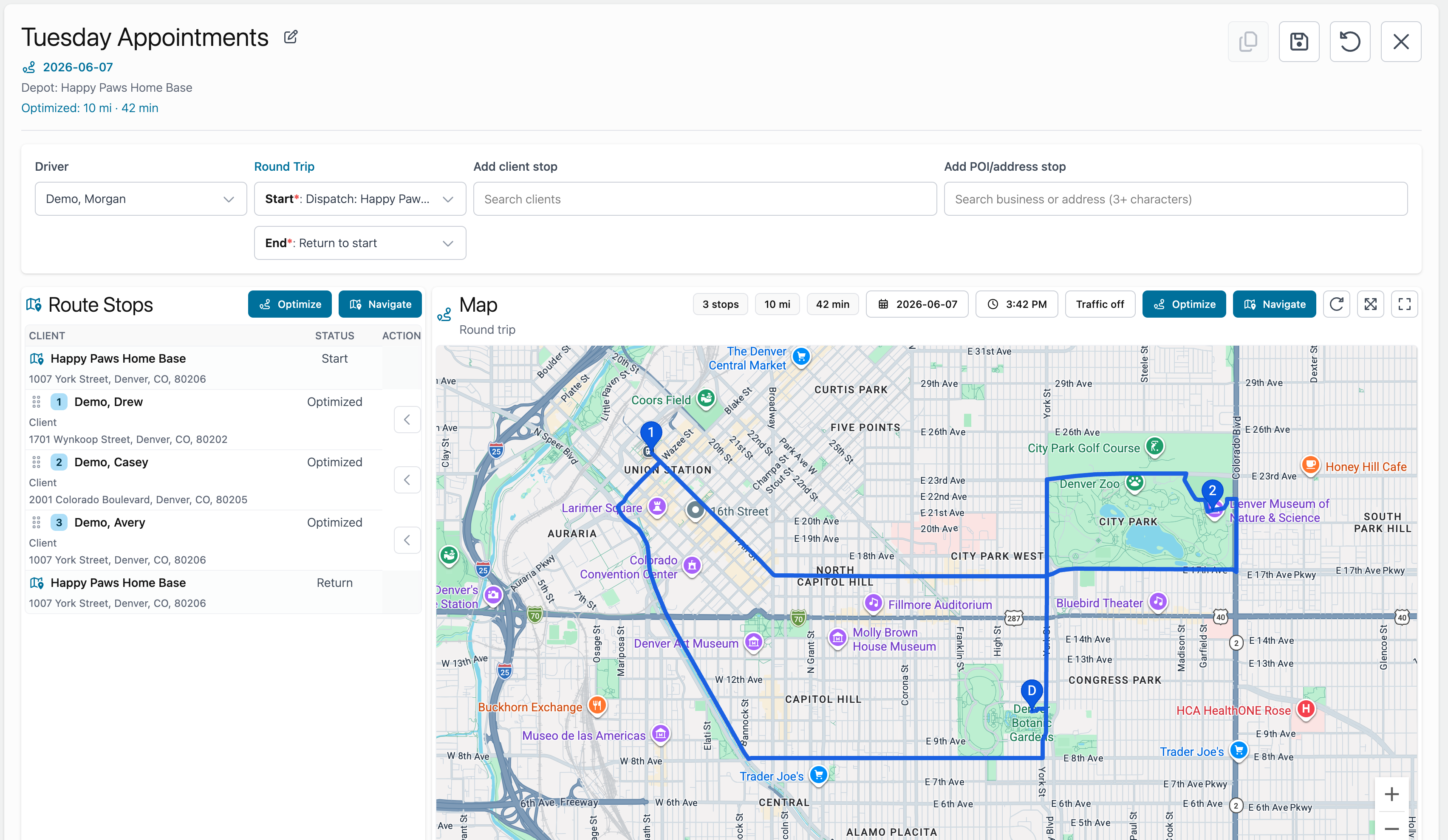
Route settings
Start and end points control whether the route is a round trip or one way.
If the start and end points match, the route is treated as a round trip.
If they are different, the route is one way.
Optimizing
Choose Optimize when you want Fouffy Dog Routing to suggest a better stop order.
You can still review and adjust the order before saving.