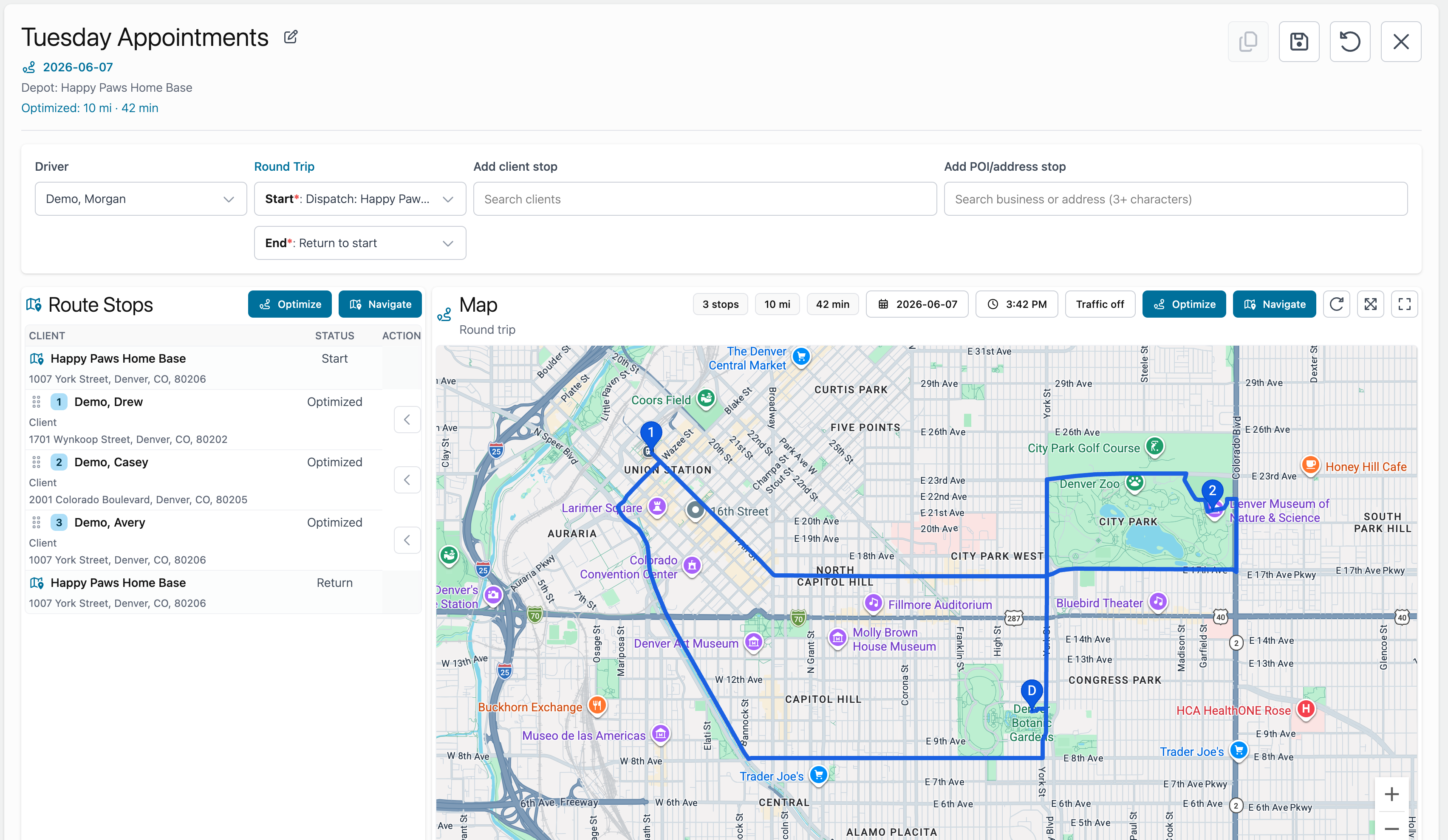
Create a Round Trip Route
Build a route that starts and ends at the same place.
Use a round trip route when the driver should return to the same place after completing stops.
Examples:
- Start and end at the grooming salon.
- Start and end at a home office.
- Start and end at the shop or warehouse.
Create a round trip
- Open a route or Quick Route.
- Choose the start point.
- Choose the same location as the end point.
- Add stops.
- Refresh the map or optimize the route.
- Save the route if you want to keep it.
If the start and end points are the same, Fouffy Dog Routing treats the route as a round trip.