
Import Customers
Import customer lists and review customer addresses before saving.
Use customer imports when you have a spreadsheet of customer names and service addresses.
Import customers
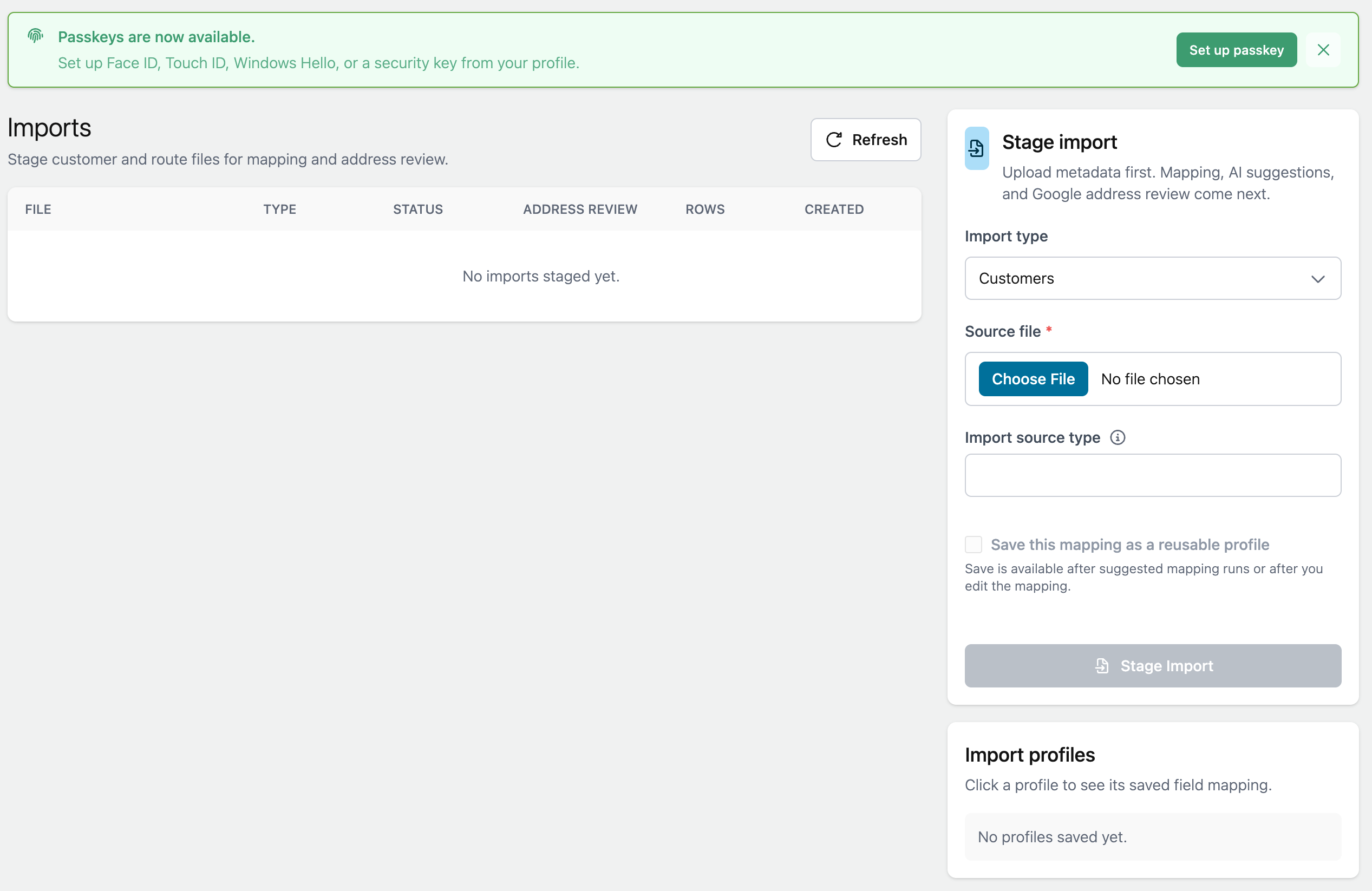
- Open Manage > Imports.
- Choose Customers as the import type.
- Select your CSV or Excel file.
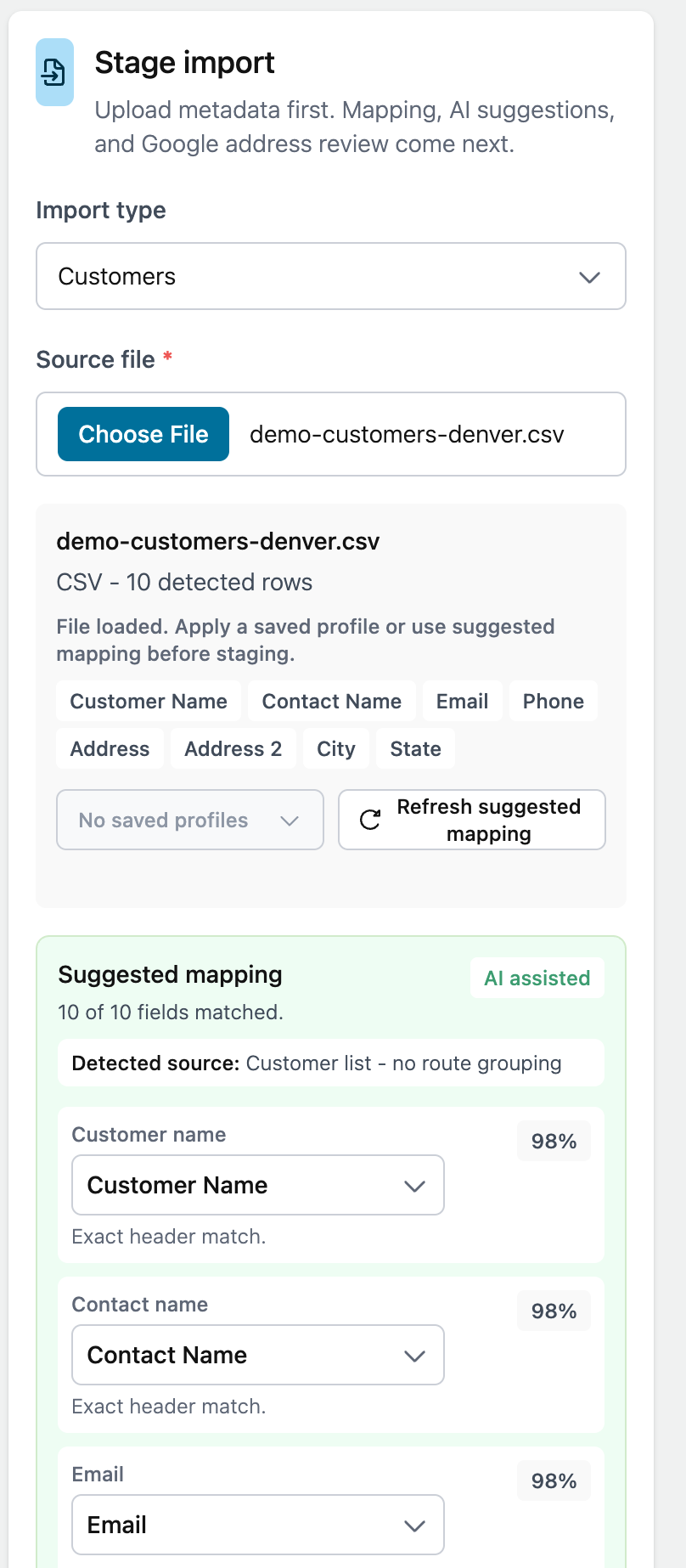
- Choose a saved import profile or choose Suggest Mapping.
- Review the detected columns.
- Confirm or fix the field mapping.
- Stage the import.
- Review rows that need attention.
- Save the ready rows.
Required information
Customer imports work best when each row has:
- Customer name
- Address
- City
- State
- ZIP code
Phone, email, notes, and contact name are helpful but may not be required for every import.
Address requirements
Customer addresses must be validated before the customer can be used as a route stop.
Rows with unclear addresses stay in review until you correct, accept, or skip them.